
For independent instructors
The admin side of private swim teaching, in one place.
Founding 10 pilot · Free for at least 90 days · No card needed
A lesson, start to finish
Request, time, confirm, teach, paid.
The everyday loop of a private instructor's week, and what Swimvity does at each step.
- 1
A request comes in
Parents ask from your booking page on their phone, or you add an enquiry from a call or message.
- 2
Find a time
Swimvity checks your teaching hours, other lessons, pool access and the drive in between, then shows times that fit.
- 3
Confirm
Approve, or suggest another time. Nothing is booked until you say so, and a regular lesson appears every week it should.
- 4
Teach
Today shows who's next and when to leave. Mark each lesson taught, missed or cancelled in a tap.
- 5
Record the payment
Families pay you directly. Record the transfer or cash, see who still owes, and send a PDF receipt or invoice.
Available today
What Swimvity does now.
Real screens from the app, with a fictional instructor and families.
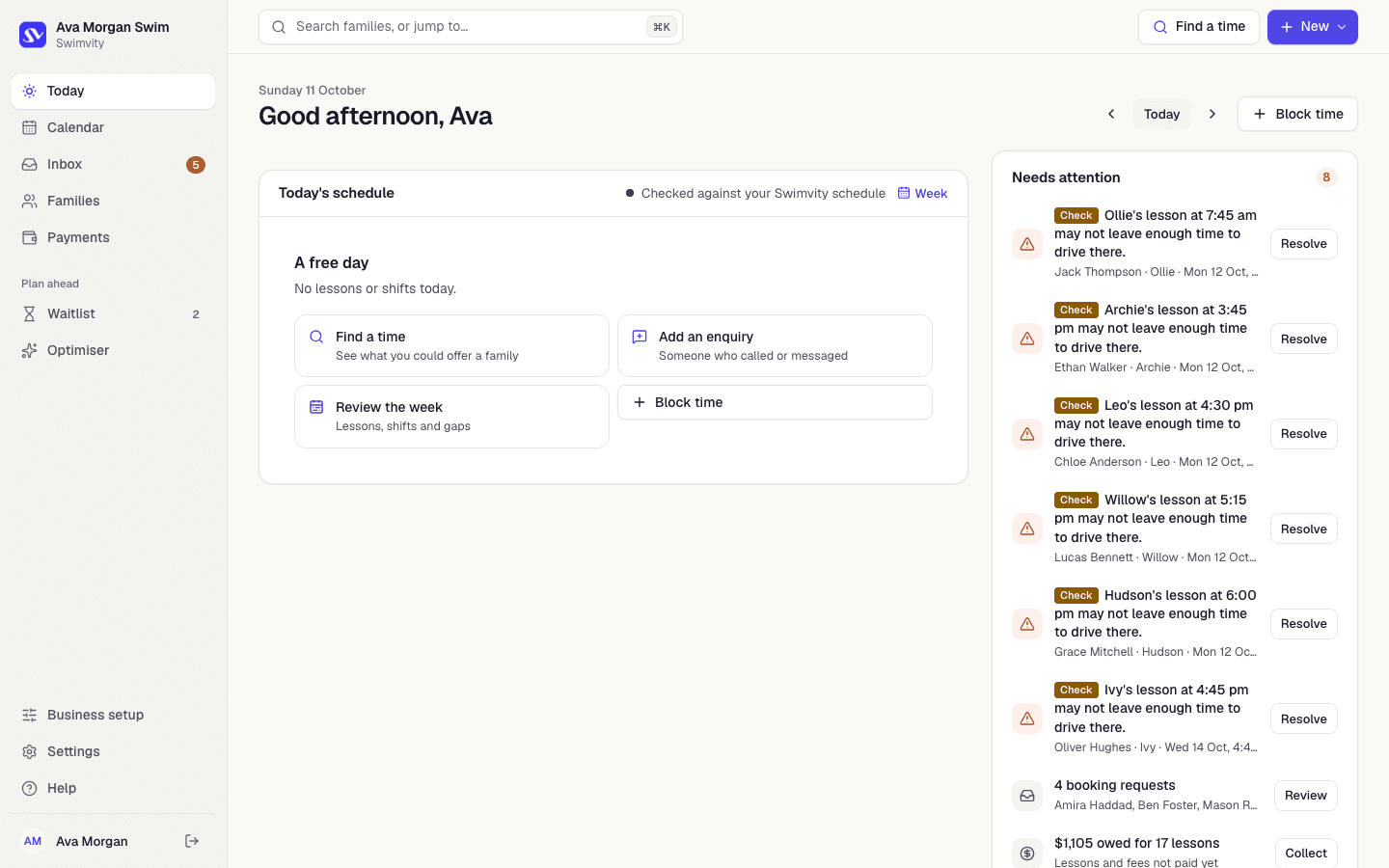
Today
Your day, and what needs you, on one screen.
Today's lessons and shifts, anything that needs a decision (a tight drive, a new request, money to collect) and quick ways to find a time, add an enquiry or block time.
Lesson requests
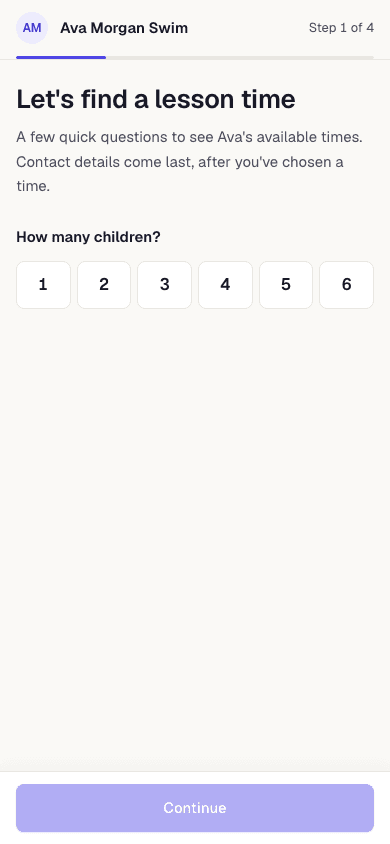
A booking page that only offers real times.
Parents answer a few short questions on their phone and choose from times that fit your week. They never see your other families. Every request waits for your approval, and the page only opens once you have something real to offer.
Finding a time
Answer “what times do you have?” on the spot.
Find a time checks your hours, lessons, pools, travel and time off, and ranks what's left. Hold a time while a family decides, so it isn't offered to anyone else.
Find a time
On a callTimes matching their preferences
Other times you could consider
Nothing is booked or saved until you choose to.
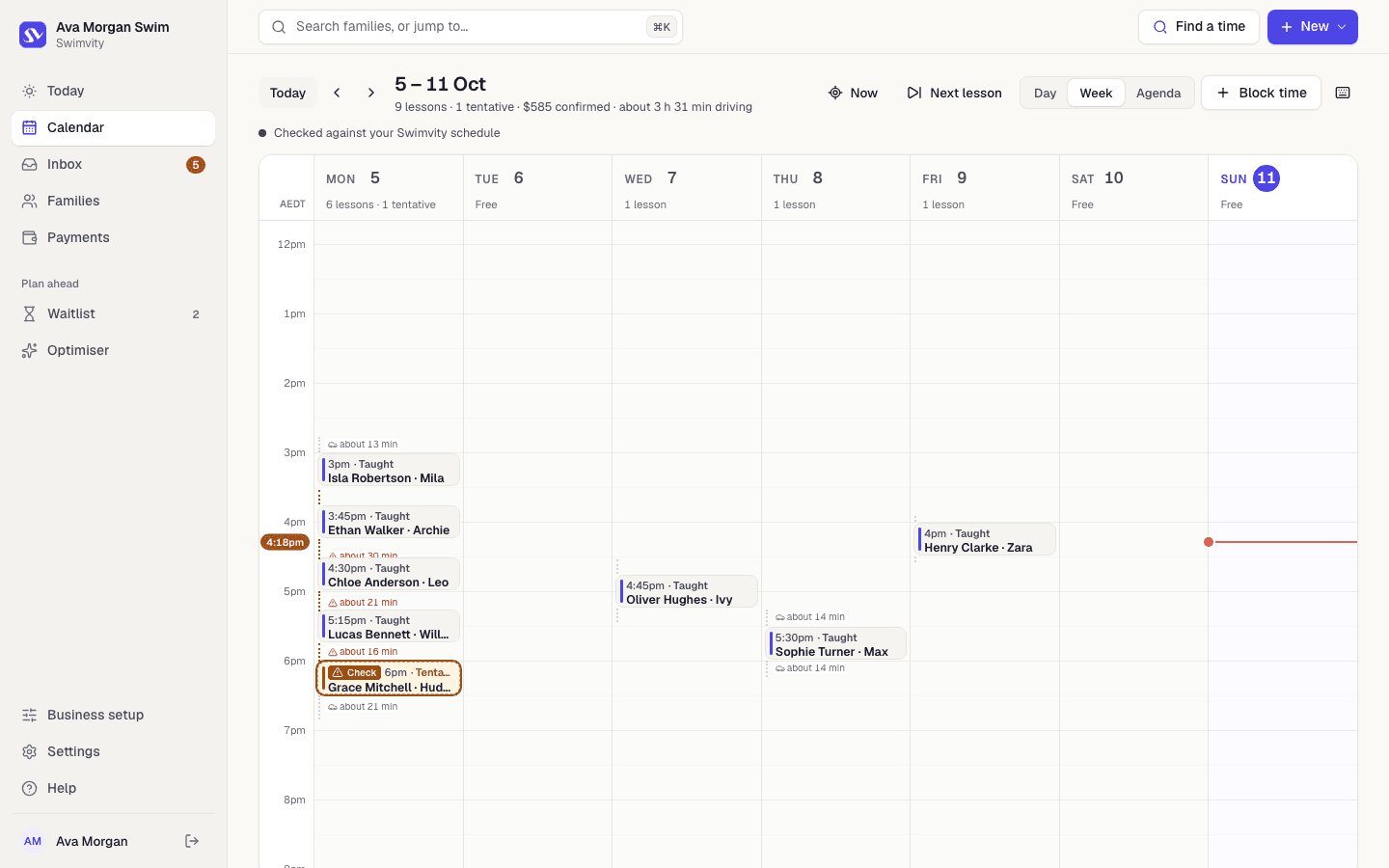
Schedule
Your week, with the drive in between.
Day, week and agenda views with lessons, swim-school shifts and estimated travel. Weekly and fortnightly lessons, holidays and pauses. Move a lesson and Swimvity checks the new time first, and asks whether you mean just this one or every future one.
Families
Every family, swimmer and note in one place.
Children and their levels, when each family can come, their pool, teaching notes and history. Enquiries and waitlisted families are kept apart from active ones.
Plan ahead
Families
Add familyPayments
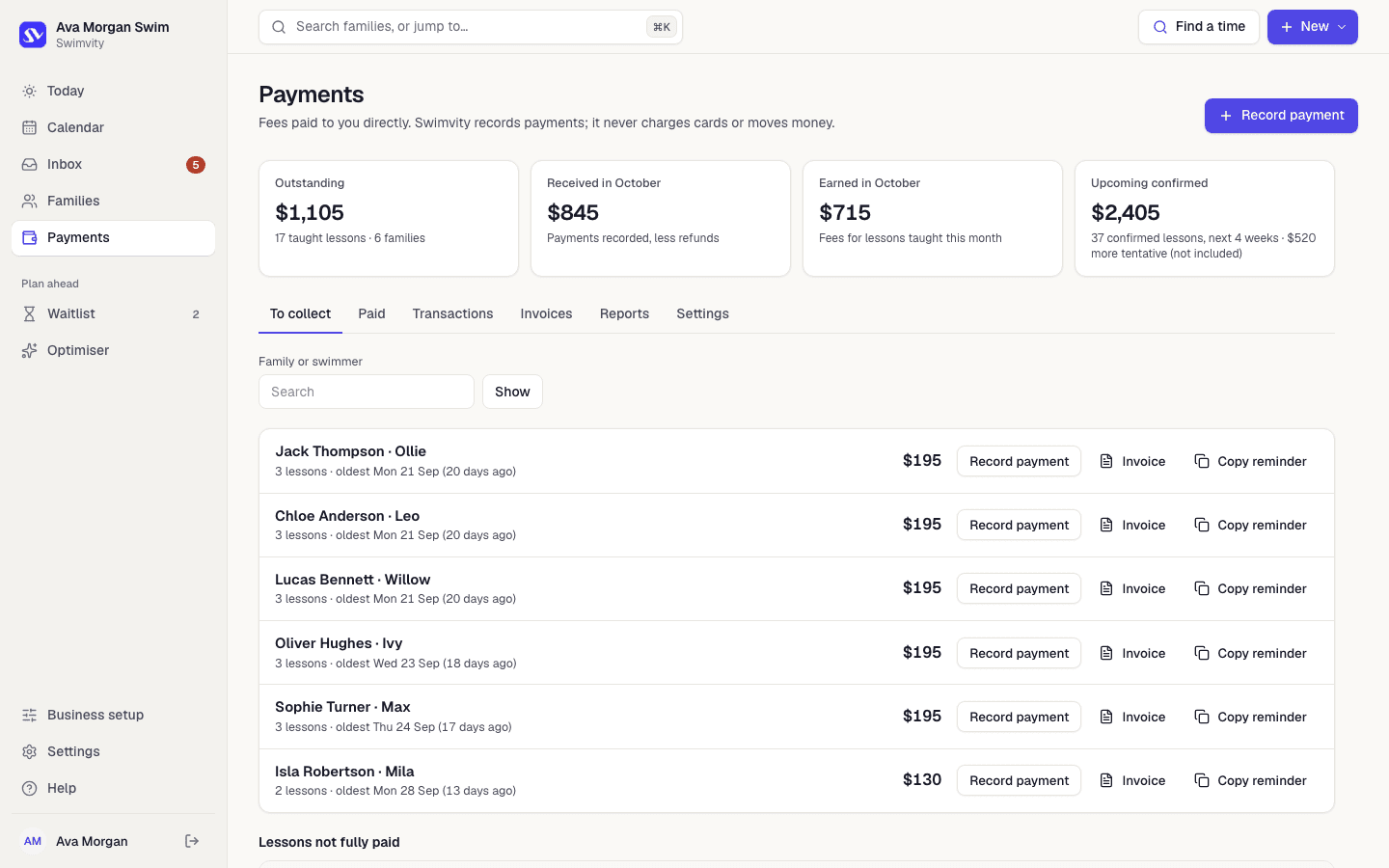
Know who owes what, without a spreadsheet.
Mark a lesson taught and it's added to what the family owes. Record bank transfers, cash and part payments, keep extra as credit, and download receipts and invoices as PDFs. Swimvity never handles lesson money and takes no commission.
Not yet
What isn't available yet.
So you know exactly what you'd be getting. More on what we're building next.
- Google Calendar connectionComing soon
- AI-drafted replies to enquiriesPlanned
- Automated messages to familiesPlanned
- Xero, Facebook and InstagramPlanned
- Swim schools and teamsPlanned
Try it with your real week.
Apply to the Founding 10 and we'll set Swimvity up with you, around your own lessons.
Founding 10 pilot · Free for at least 90 days · No card needed