
How it works
How Swimvity works
- 1
Tell Swimvity how you work
Your teaching hours, regular work like swim-school shifts, where you teach (home pools, apartment pools, your venue) and your lesson prices. Add personal appointments as time off so they're never offered. Google Calendar connection is coming soon.
Set up your business
4 steps
- About youAva Morgan Swim · starts from Kellyville
- How you teachHome and apartment pools · up to 20 min drive
- 3Where and whenMon–Fri 3–7 pm, Sat 8–12 · swim-school shift Mon 3–4 pm
- 4Lessons and pricesPrivate 1:1 · 30 min · $65
Existing families and levels can wait.
- 2
Preview and publish your booking page
Before any parent sees it, you can preview your page exactly as they will. It only opens once you have hours, a lesson and somewhere to teach, so parents never meet a page with nothing to offer.
AMAva Morgan SwimStep 3 of 4Choose a time
Available to request. Ava confirms every booking personally.
Times that match your preferences
Wed21Oct4:15 pm Best matchEvery Wednesday from 21 Oct30 min · Bella Vista · $65Fri23Oct3:45 pmEvery Friday from 23 Oct30 min · Bella Vista · $65Other times
Sat24Oct9:30 amEvery Saturday from 24 Oct30 min · Bella Vista · $65Continue - 3
Parents ask; you approve
Parents choose a lesson, where and when suits them. Their preferred times come first, then other times that work. Requests land in your Inbox, where you can approve, suggest another time, or decline with a reason only you see.
NGReady to approveNguyen family · Mia (6) & Leo (4)
Booking page · 4 min ago · Bella Vista home pool
Requested
Wednesdays · 4:15 pm
Back-to-back · 2 × 30 min · from 21 Oct
Why this time works for your schedule
- About 8 min drive after Clarke · Ruby
- Inside your Wednesday hours
- Clear of your time off
Alternative times
Fri 3:45 pmMatches their preferencesSat 9:30 amOther timeApproveSuggest another timeDecline request - 4
Run your week
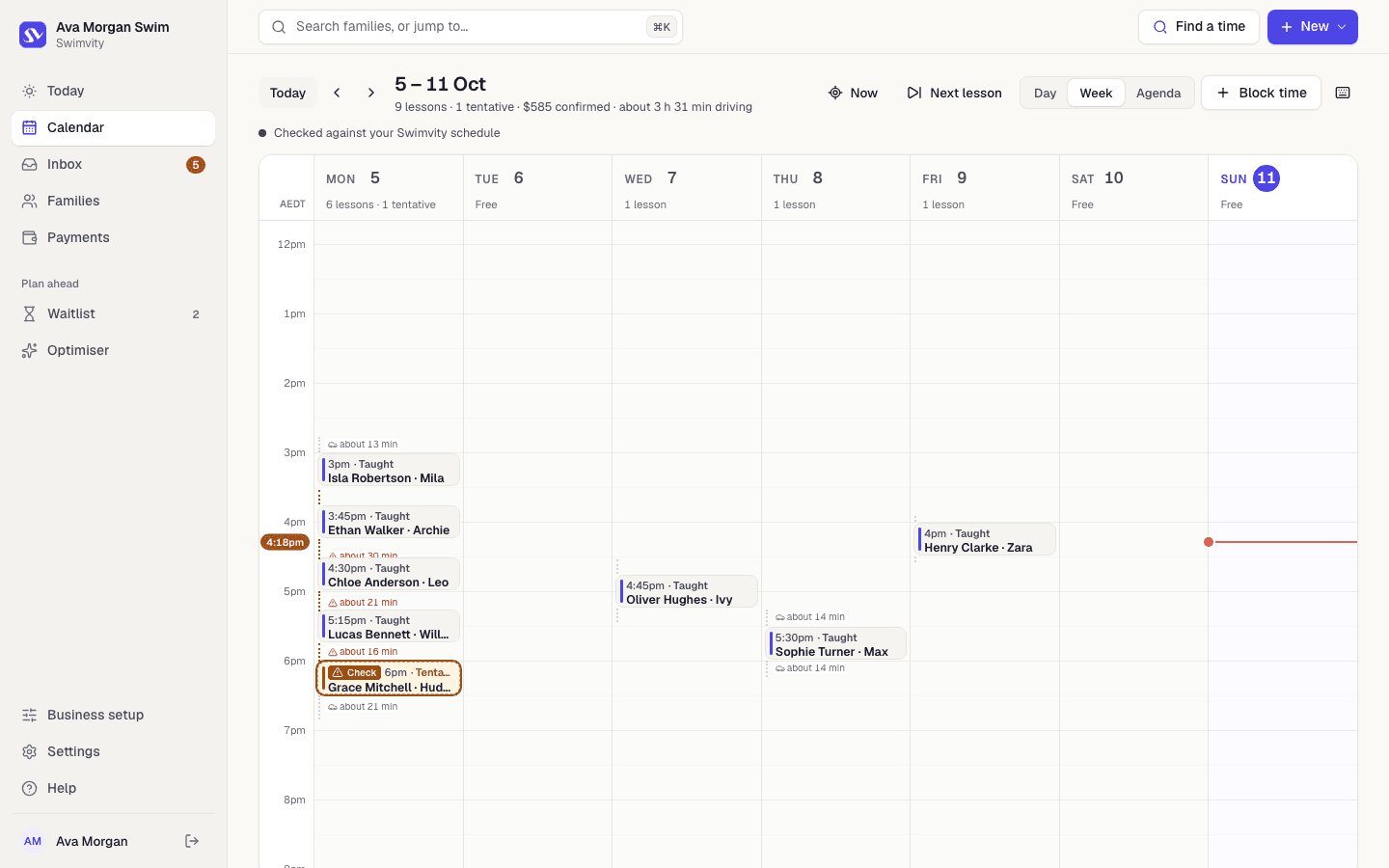
Today shows who's next, the drive in between and anything that needs you. The calendar handles regular lessons, one-off changes, holidays and pauses. The optimiser suggests moves that would cut travel. Nothing changes without each family's agreement.
- 5
Mark lessons and keep track of payments
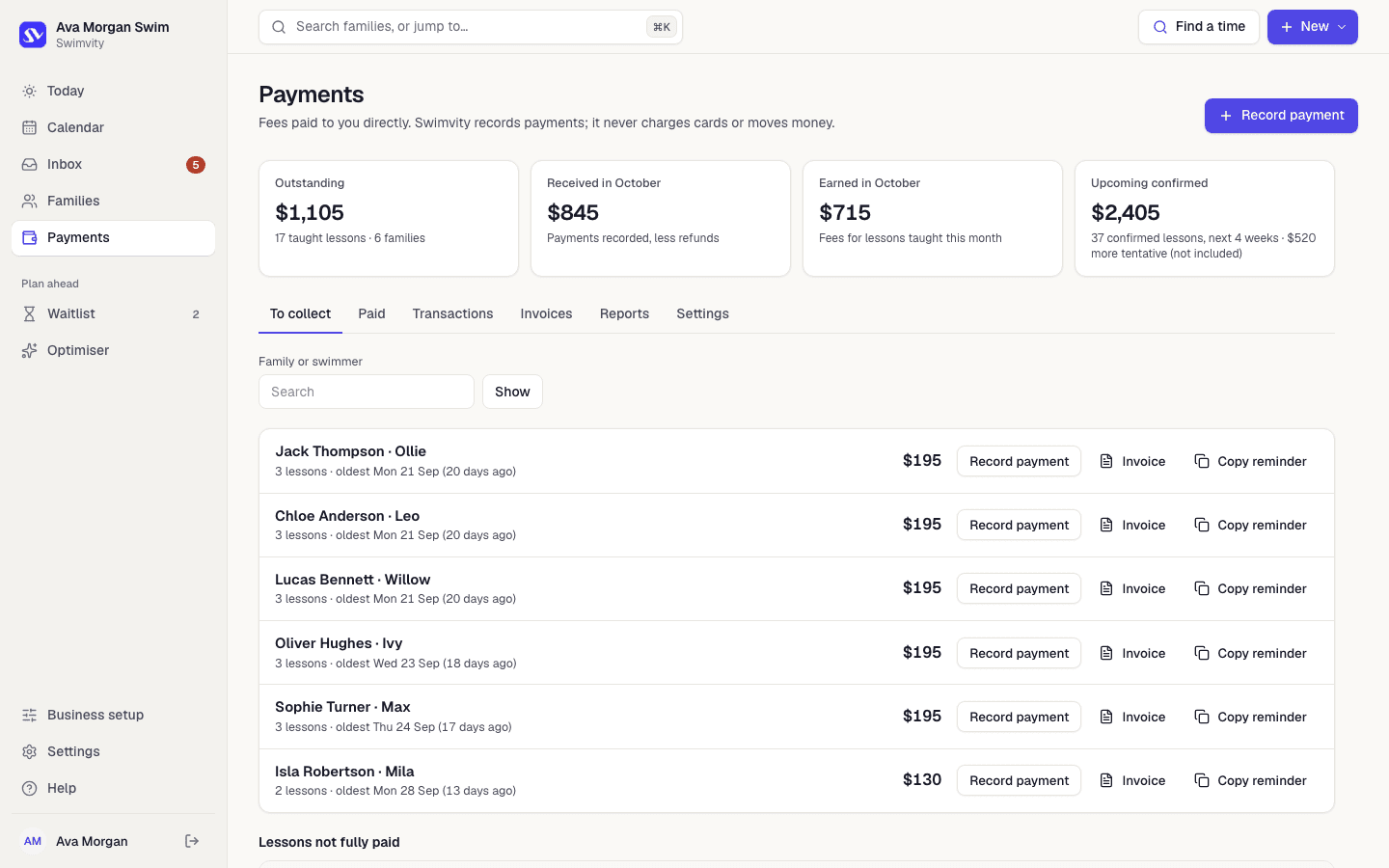
Mark lessons taught (or missed) in a tap, record bank transfers and cash, part payments and credit paid in advance, and send invoices and receipts. Families pay you directly. Swimvity takes no commission and never handles lesson money.
Spend your week teaching, not juggling.
Set up your hours and pools, preview your booking page, and see your week come together.
Free for at least 90 days · No card needed